How to Write a CLAUDE.md File That Claude Actually Follows
A fresh Claude Code session runs the wrong test command, fails, guesses a second one and moves on without recording what it learned. That is the problem a CLAUDE.md file fixes, and how to write a CLAUDE.md file well comes down to three things: keep it short, put exact commands and non-default conventions in it, and test whether it changes behavior. My position is that it is context, not enforcement.
Key takeaways- A good CLAUDE.md is a short Markdown file in the repo root with exact commands, conventions that differ from defaults, and boundaries. Aim for under about 200 lines.- Generate a draft with/init, then cut it hard. Every line is paid for in context on every session, and a line you cannot tie to a real failure should go.- Prose is advisory. A rule that must never be broken belongs in a hook, a permission setting or CI, with the CLAUDE.md line kept as guidance.- Verify the file: start a fresh session, run/memory, rerun a baseline task and ask the agent to recite your commands.- Commit every CLAUDE.md change on its own, so a bad edit is onegit revertaway from the last known-good file.
How to write a CLAUDE.md file: the short answer
The common failure is quiet. Every new session re-learns the wrong test command, or ignores a house convention, because nothing in the repo says otherwise. According to Claude Academy's CLAUDE.md lesson, without the file Claude Code starts fresh each time and has to re-explore the codebase and make assumptions. With it, the file is read automatically at session start and appended to your prompt.
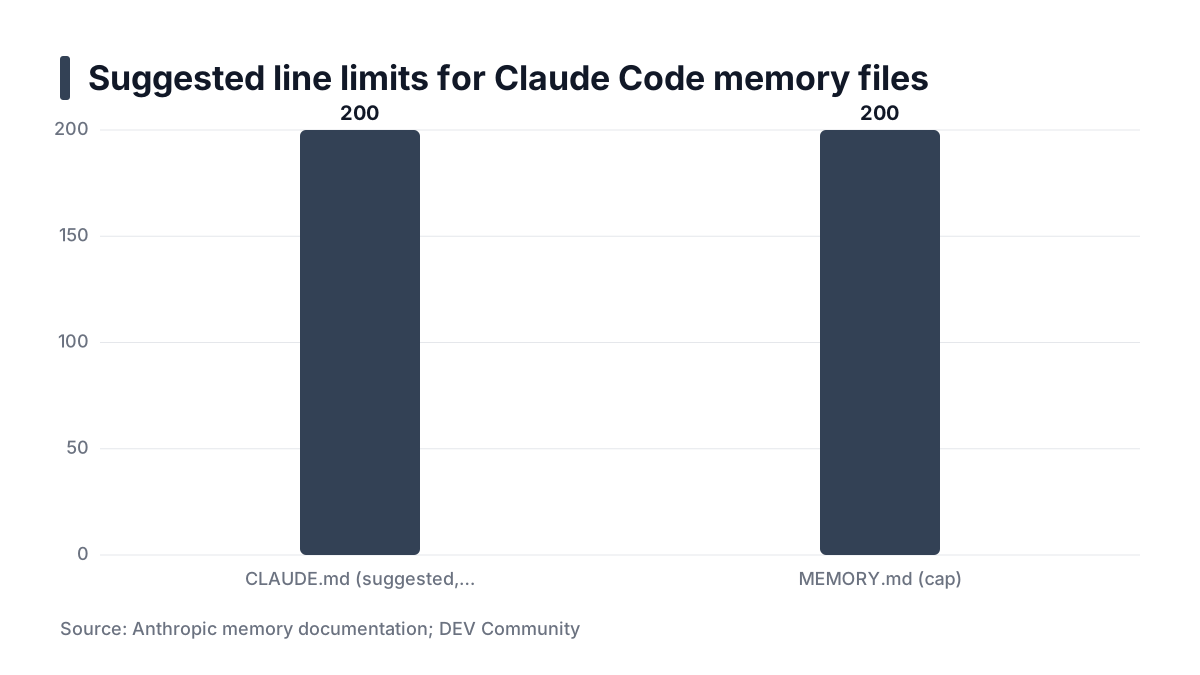
The direct answer is a short Markdown file in the repo root. It holds exact commands, conventions that differ from defaults, and boundaries. Anthropic's memory documentation suggests staying under about 200 lines. Treat that as version-dependent guidance and check the official docs for the current figure.
A comparable limit exists elsewhere. A DEV Community write-up on persistent memory for Claude Code describes the separate MEMORY.md file as capped at 200 lines and 25KB. That is a different file from CLAUDE.md. It still shows the order of magnitude: these files are meant to be small.
CLAUDE.md is context, not enforcement
Here is my position. The model reads your file and usually follows it, but nothing forces it to. HumanLayer's post on writing a good CLAUDE.md reports that Claude Code wraps the file in a system reminder saying the context may or may not be relevant. Its authors infer that Claude may skip content it judges irrelevant to the current task.
That is one team's reading, based on inspecting traffic through a logging proxy. It is a clue, not proof of how every version behaves. The practical consequence is the same either way. Where a rule matters, do not rely on prose alone.
Mechanism | Best for | Where it misleads |
|---|---|---|
CLAUDE.md prose | Commands, conventions, gotchas | The model can skip a line it judges irrelevant, so a line is not a guarantee |
Hooks and permissions | Rules that must never be broken | Setup is version-dependent, so check the current docs before trusting a config |
Linter, tests, CI | Style and correctness | It catches the problem after the edit, not before |
What the top-ranking pages skip
Most guides tell you what to put in the file. Few tell you how to check that the file changed anything. Fewer still tell you how to undo a bad edit. The last two steps below cover both.
Prerequisites
You need four things before you write a line.
- Claude Code, current. Check with
claude --version. Features such as/init,/memory, imports and scoped rules vary by version, so confirm them against the official docs. - A git repository you can commit to. Every change to the file becomes reviewable and reversible. Without version control you cannot tell whether an edit helped.
- Your real commands, each run once. That means build, test, lint and single-test commands. A command you have not run in a terminal is a guess you are about to hand to an agent.
- A baseline. Write down the mistakes the agent has made in this repo, or pick one representative task you can rerun. For a longer look at working with an agent on a real package, see rebuilding an open source package with Cursor and Claude.
Decide scope as well. Shared project rules go in the repo file. Claude Academy describes a user-level file in your configuration folder for personal preferences that apply across projects. Keep your editor habits out of the shared file.
Step 1: Generate a draft with /init, then cut it down
Run /init in the repo root to get a starting file. Treat the output as a draft. It tends to be generic and to describe things the agent can read for itself.
Claude Academy actually recommends starting a project without a CLAUDE.md. You see where you keep correcting the model, and the file stays compact. I agree when the repo is new. When the repo already has history, /init plus aggressive pruning is faster.
There is research behind the pruning. A February 2026 arXiv paper, Evaluating AGENTS.md, tested repository context files across several coding agents and models. Its authors report that context files tend to reduce task success compared with no repository context, while raising inference cost by over 20%. Its section headings add that LLM-generated files hurt while human-written ones helped.
That does not prove your CLAUDE.md will hurt. The study used AGENTS.md-style files and its own benchmark, not your repo or your Claude Code version. It does support a cautious default: a bloated, auto-generated file is a cost, not a free benefit.
What to delete
- Directory tree descriptions the agent can list itself.
- Dependency lists that already live in
package.jsonorpyproject.toml. - Anything inferable from the code.
- Vague aspirations such as "write maintainable code".
Keep only what the agent would get wrong without being told. If you cannot name a failure a line prevents, remove it.
Practical rule: Every line must prevent a failure you can name. If you cannot name one, delete the line.
Step 2: Write commands, conventions and boundaries
Three kinds of content earn their place. I would write them in this order.
Commands
Give exact invocations with flags. Include how to run one test file and how to lint. "Run the tests" invites guessing, while a literal command does not.
HumanLayer warns against stuffing in every command the agent could ever need. List the ones used on most tasks. Point to a script or doc for the rest.
Conventions
Write only rules that differ from defaults, phrased so you can check them. "Use named exports" works. "Write clean code" does not, because no reviewer could say whether it was followed.
Boundaries and gotchas
This is the highest-value section. Name generated directories the agent must not edit, and describe the migration workflow. For infra repos, say things like "run terraform plan before apply" and "no secrets in manifests". I manage identity as code with Keycloak and Terraform, so this is the section I would write first for any infrastructure repository.
Phrasing
Use short bullets under clear headings. Put one instruction per line. Add a reason where a rule is surprising, because a reason helps the model judge edge cases. Do not contradict other files, and use emphasis sparingly or it stops meaning anything.
Here is an example for a Terraform repository. The commands and paths are illustrative.
# Project
Terraform modules for the platform at example.com. Modules live in modules/.

# Commands
- Format check: `terraform fmt -check -recursive`
- Validate one module: `cd modules/network && terraform init -backend=false && terraform validate`
- Plan: `terraform plan -out=tfplan`

# Boundaries
- Never run `terraform apply`. Show the plan and stop.
- Do not edit files under generated/. Regenerate with `make generate`.
- No secrets in manifests or variable defaults. Read them from the secret store.
- Why: state is shared, and an apply from a laptop bypasses review.
That is 14 lines, and every one prevents a specific mistake. The first draft from /init for a repo like this might run to well over 100 lines of description. That is an illustrative example, not a measurement.
Step 3 (Optional): Split detail with imports and scoped rules
Skip this step if your root file is already short. It helps only when you have material that is useful but not universal.
- Imports. Use the
@pathsyntax to pull in a longer document, such as an architecture note, instead of pasting it. Claude Academy shows the same@reference for pointing at a README. - Scoped rules. Put rules that apply to one part of the repo in
.claude/rulesfiles with path globs. The scoping syntax is version-dependent, so read the current docs. - Nested files. In a monorepo, put a CLAUDE.md in each service directory. HumanLayer stresses that a map of apps and shared packages matters most in monorepos. If the layout itself is confusing, fixing it will help more than any prompt file, and structuring a codebase for scale covers that.
There is one limitation. Imported files still load at launch, so imports organize the file but do not save context. If you want to save context, delete text.
Practical rule: Use imports to organize and scoped files to target. Neither one is a substitute for cutting.
Step 4: Verify the result and roll back
Writing the file is the easy half. Checking that it works is the half most guides skip.
Check what loaded
Start a fresh session and run /memory. Confirm which CLAUDE.md files loaded and that the one you expect is among them. A file in the wrong directory fails silently.
A related trap: Claude chat memory and Claude Code memory are separate. A MemoryPlugin post reports that Claude Code keeps its own CLAUDE.md files and machine-local auto memory, and that neither reads chat memory. That is one third-party blog's account, so verify against Anthropic's docs. The takeaway is simple: do not expect preferences you told the chat app to reach your repo.
Test behavior
Rerun your baseline task and compare it with the earlier result. Then ask the agent, without it looking at the code, to state the test command and two conventions. A wrong answer usually means the line is ambiguous or buried.
Two caveats apply. One run is anecdote, so repeat the task a few times before you credit the file. And a model that recites a rule may still break it mid-task.
Roll back
Commit CLAUDE.md changes separately from code. If behavior gets worse, git revert that one commit and you are back at the last known-good file. Mixing the file into a feature commit makes that rollback painful.
AI-written changes still need a human reading them. A good file reduces errors but does not remove the need for review, which I cover in how to review AI-generated code.
When prose is not enough
The model can still ignore a line. For a non-negotiable rule, enforce it elsewhere. The DEV Community write-up notes that Claude Code has a hook system that runs scripts at set points in a session. Permission settings and CI are the other options. Keep the prose as guidance, and check the current docs for exact configuration.
Practical rule: Prose guides. Hooks, permissions and CI enforce. If a rule is broken twice, move it out of prose.
Frequently asked questions
Can I use one file for Claude Code and other tools that read AGENTS.md?
Partly. HumanLayer says its advice applies to AGENTS.md, the open equivalent used by several agents. A post on Copilot's AGENTS.md support reports that GitHub's coding agent reads AGENTS.md and still supports CLAUDE.md. A common pattern is to keep shared rules in AGENTS.md and have CLAUDE.md import it. Test that in your version with /memory before relying on it.
How does CLAUDE.md work in a monorepo with several services?
Put a short root file with a map of the apps and shared packages, plus rules that apply everywhere. Add a nested CLAUDE.md in each service for its own commands and conventions. Then run /memory from inside a service directory to confirm the right files loaded. Loading behavior is version-dependent.
Should CLAUDE.md be committed to git or kept personal?
Commit the project file. Claude Academy says you can and should commit it so your team benefits. Keep personal preferences in the user-level file, which applies across your projects and stays out of the repo. If a line only reflects your taste, it does not belong in the shared file.
Next steps: set up your CLAUDE.md maintenance loop
- When the agent repeats a mistake, add one specific line, test it against the baseline task, and commit it on its own.
- On a regular cadence, prune. Delete lines the agent follows without being told, and lines that no longer match the repo.
- Promote any rule that gets broken twice into a linter rule, hook or CI check, then shrink the prose to a pointer.
- Review CLAUDE.md in pull requests like code, and keep it near the 200-line guideline.
- After every change, start a fresh session, run
/memory, and ask the agent to recite your test command.