
Element Remover
Chrome Extension • Productivity Tool
Element Remover is a Chrome extension that allows you to remove elements from web pages by CSS selectors. Perfect for cleaning up cluttered websites, removing ads, or hiding unwanted content with one-click removal.
Screenshots
Features
- •One-click removal: Click the extension icon to instantly remove matching elements
- •Iframe support: Removes elements from the main page and all accessible iframes
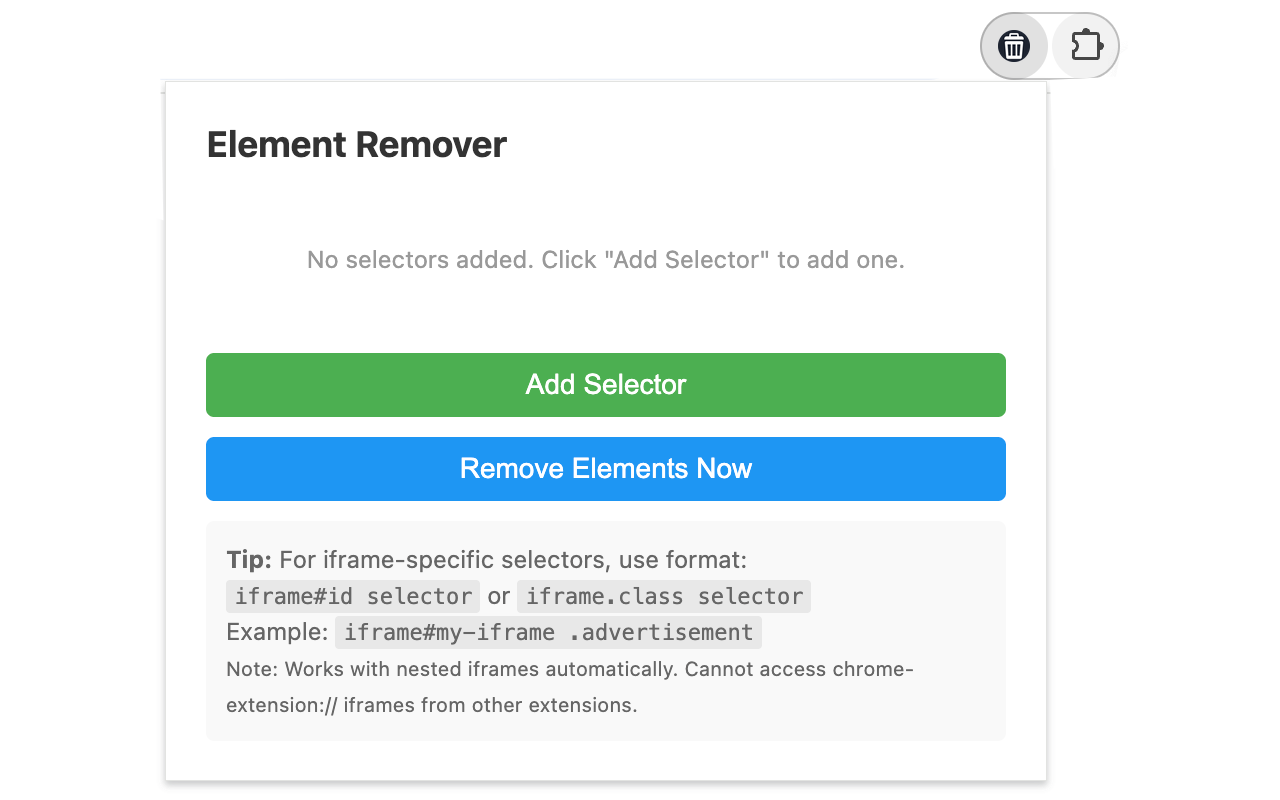
- •Selector management: Right-click the icon → "Manage Selectors" to add/edit selectors
- •Permanent storage: Selectors are synced across all your Chrome instances
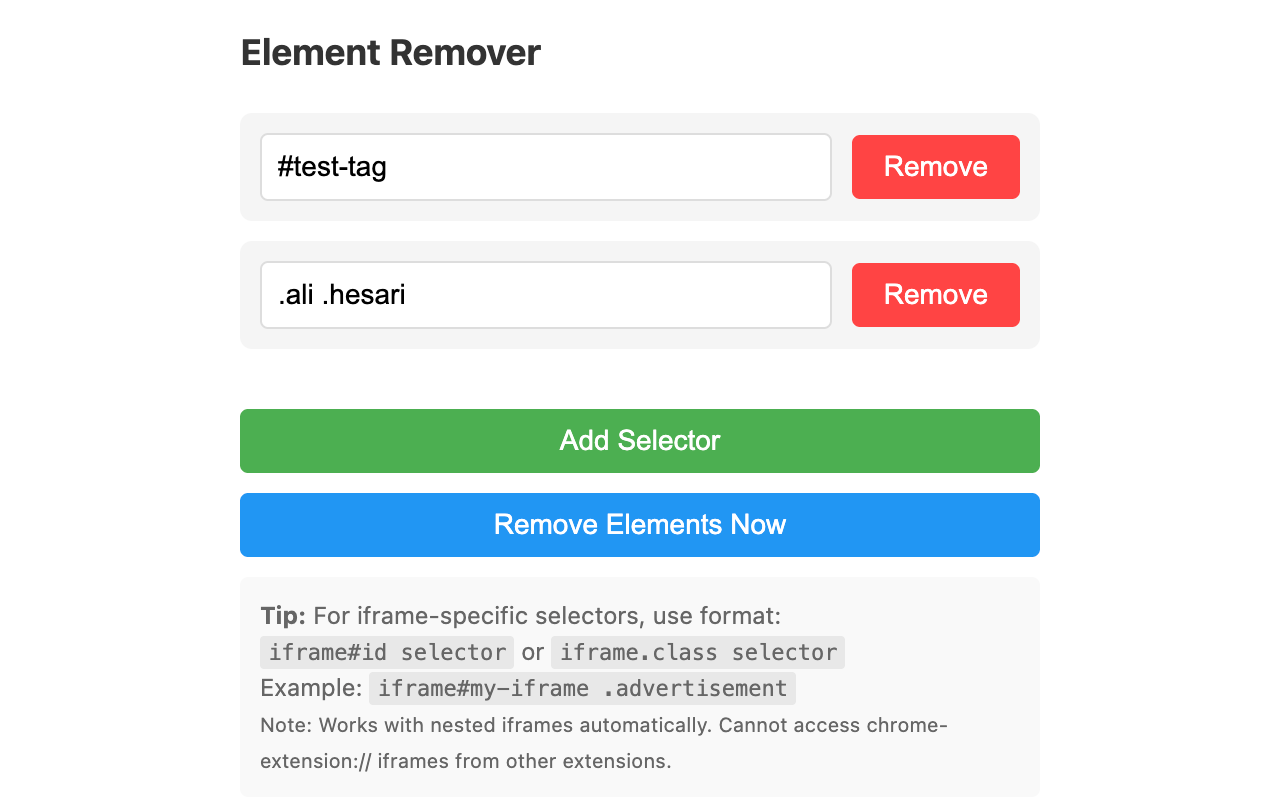
- •Multiple selectors: Add, edit, and remove multiple selectors
Installation
The easiest way to install Element Remover is through the Chrome Web Store:
- Visit the Chrome Web Store page
- Click "Add to Chrome"
- Confirm the installation in the popup dialog
- Pin the extension to your toolbar for easy access
Alternative installation (for developers): You can also install from source by downloading or cloning the repository from GitHub, then:
- Open Chrome and navigate to chrome://extensions/
- Enable "Developer mode" (toggle in the top right)
- Click "Load unpacked"
- Select the folder containing this extension
How to Use
Quick Removal
Click the extension icon on any page to instantly remove all elements matching your saved selectors.
Managing Selectors
- Right-click the extension icon in the toolbar
- Select "Manage Selectors" from the context menu
- The popup will open showing your saved selectors
- To add a new selector, click "Add Selector"
- To edit a selector, modify the text in the input field
- To remove a selector from the list, click the "Remove" button next to it
- Click "Remove Elements Now" to test removal from the current page
Selector Format
You can use any valid CSS selector:
- Class:
.class-name - ID:
#element-id - Tag:
div - Combined:
div.class-name#id - Attribute:
[data-attribute="value"]
Privacy Policy
Last Updated: June 25, 2026
Element Remover is committed to protecting your privacy. This Privacy Policy explains how the extension handles your data.
Data Collection
Element Remover does not collect, transmit, or store any personal information. The extension operates entirely locally on your device.
Local Storage
The extension uses Chrome's local storage API to save your CSS selectors. This data is:
- Stored locally on your device
- Synced across your Chrome instances (if Chrome Sync is enabled)
- Never transmitted to external servers
- Never shared with third parties
Permissions
Element Remover requires the following permissions:
- storage: To save your CSS selectors locally
- activeTab: To access the current tab and remove elements
- scripting: To inject scripts that remove elements from web pages
- contextMenus: To provide the right-click menu option
The extension only accesses web pages when you explicitly click the extension icon or use the context menu. It does not access any pages automatically.
Third-Party Services
Element Remover does not use any third-party analytics, tracking, or data collection services. The extension is completely self-contained and does not communicate with any external servers.
Open Source
Element Remover is open source. The complete source code is available on GitHub for review. You can verify that the extension does not collect or transmit any data.
Changes to This Privacy Policy
We may update this Privacy Policy from time to time. Any changes will be posted on this page with an updated date. We encourage you to review this Privacy Policy periodically.
Contact
If you have any questions about this Privacy Policy, please reach out through the contact form.